Optimiser images, textes, prix, SKU et variantes avant publication
Une fois les produits importés dans NEOCO, votre équipe peut nettoyer les images, retravailler les textes, ajuster les prix, revoir les SKU et préparer des données propres pour la boutique, les exports CSV et la création de contenu.
Parcours d optimisation
Transformer les données importées en meilleures fiches produit
Les données importées sont rarement prêtes telles quelles. C est ici que les vendeurs les rendent plus propres, plus claires et plus proches de leur façon de vendre.
Ouvrir la fiche produit
Commencez avec les données importées dans la bibliothèque produit du backend.
Améliorer les champs de fiche
Réécrivez titres et descriptions, ajustez les prix, nettoyez les SKU et normalisez les variantes.
Préparer les médias produit
Vérifiez et améliorez les images avant leur utilisation en boutique, en export ou en contenu.
Valider pour la sortie
Envoyez les fiches nettoyées vers Shopify Sync, l export CSV marketplace ou la création de contenu.
Fonctions clés
Rendre chaque produit importé plus prêt à publier
Même un bon import demande du nettoyage. NEOCO transforme les données de source en fiches réellement utilisables.
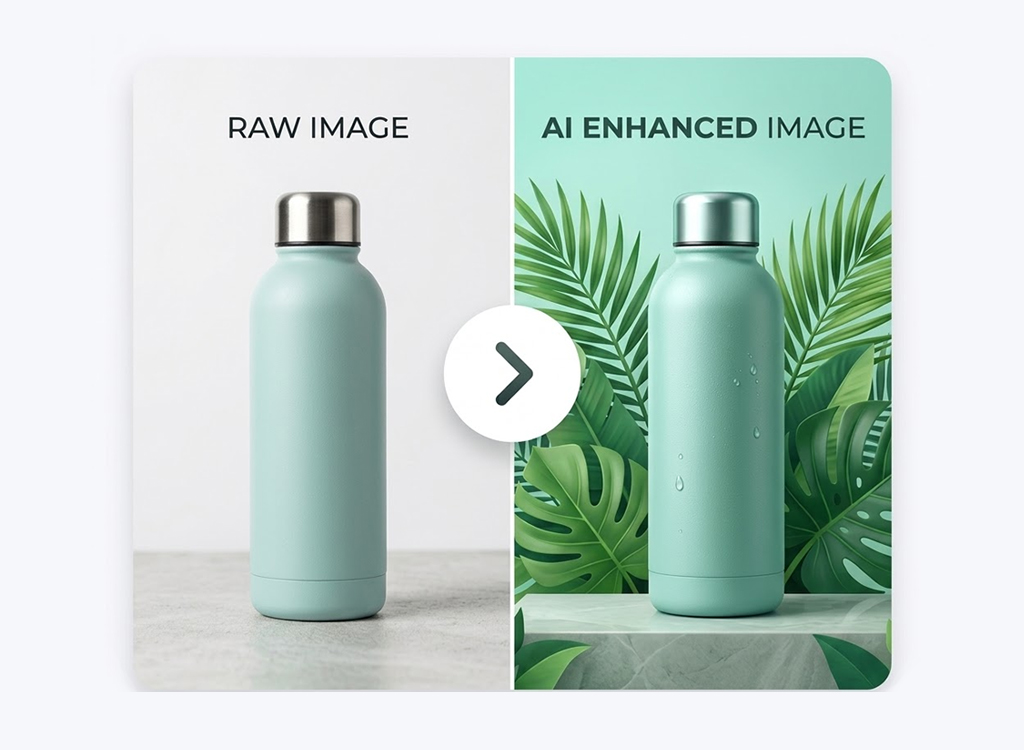
Optimisation des images produit
Améliorez les visuels avant leur utilisation dans les fiches, posts sociaux ou tâches de contenu.
Réécriture des titres et descriptions
Transformez les textes fournisseurs bruts en descriptions plus claires et arguments de vente.
Édition des prix
Ajustez les champs de prix avant synchronisation, export ou préparation de campagne.
Nettoyage des SKU et variantes
Gardez variantes, options et SKU structurés pour mieux gérer les données produit.
Texte produit prêt pour le SEO
Préparez de meilleurs titres et descriptions pour les pages boutique et la visibilité long terme.
Édition par lots
Nettoyez de nombreux produits sans ouvrir chaque fiche une par une.
Sorties préparées
Une fiche optimisée peut servir plusieurs canaux
Des données propres sont plus utiles pour Shopify Sync, les exports CSV et le contenu produit.












Meilleures fiches boutique
Préparez vos produits pour Shopify avec des images plus propres et des textes plus solides.
Exports CSV plus propres
Exportez des fichiers marketplace depuis des fiches déjà vérifiées et améliorées.
Meilleure base pour le contenu
Utilisez les données optimisées comme source pour de meilleures vidéos, légendes et brouillons de blog.
Fiches produit organisées
Gardez prix, SKU et variantes plus faciles à gérer quand le catalogue grandit.
Pourquoi c est important
Les données brutes sont rarement prêtes à vendre
Les données importées reflètent souvent la plateforme source, pas votre marque, votre stratégie de prix ni les exigences de votre boutique.
FAQ
Questions sur l optimisation produit
Comment l optimisation s insère entre import, création de contenu, synchronisation et export.
L optimisation est-elle obligatoire avant Shopify Sync ?
Les données optimisées peuvent-elles servir au contenu ?
Cela remplace-t-il la revue manuelle ?
Puis-je optimiser des produits par lots ?
Commencer l optimisation
Nettoyez les données produit avant publication
Importez les produits, améliorez les fiches et envoyez des listings plus propres vers la synchronisation, l export et le contenu.
Commencer gratuitement