Generate AI Product Videos, Images, Captions and Blogs from Real Product Data
NEOCO turns selected products from your backend into ready-to-use marketing content. Create product videos, product images, platform captions, ad copy and blog articles, then prepare them for scheduled publishing across 9 social channels.
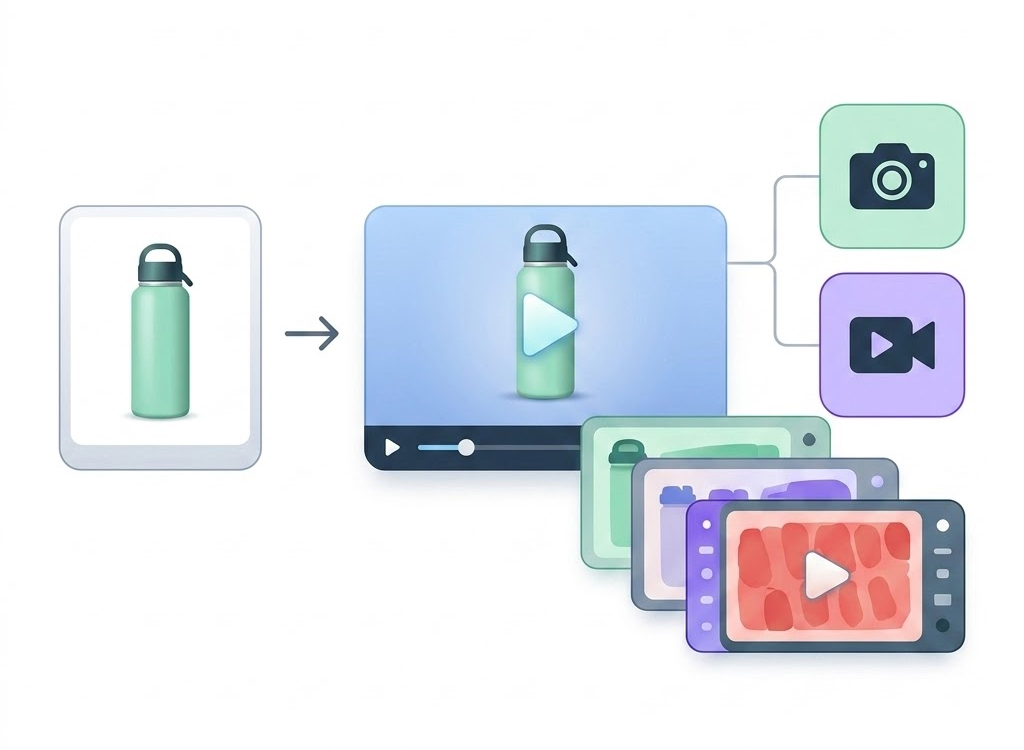
Content Generation Workflow
From Product Record to Multi-Channel Content
This page focuses on the AI Content module inside NEOCO. It starts after your products have been imported and optimized in the product library.
Select Products
Choose one product or a batch of products from your NEOCO backend, using imported titles, images, variants and descriptions as the source data.
Pick Content Types
Generate videos, product images, captions, ad copy, blog drafts or multiple assets together for the same product campaign.
Let AI Build Assets
NEOCO turns product details into hooks, scripts, visual directions and platform-ready text so you can test more creative angles faster.
Publish or Schedule
Send finished assets into social publishing, schedule posts, or keep them in your content library for later campaigns.
Core Capabilities
Create the Content Your Products Need to Sell
A single product can become multiple creative formats, making it easier to test hooks, platforms and audience angles without rebuilding everything manually.
AI Product Videos
Generate short product videos from selected product data, images and selling points. Use batch tasks when you need many videos for multiple SKUs.
Product Images
Create campaign-ready product images for social posts, ads and store content while keeping the work connected to the original product record.
Captions and Ad Copy
Generate product captions, selling angles, hooks, CTAs and ad copy for different platforms instead of rewriting from scratch every time.
Product Blog Drafts
Turn product information into longer-form blog drafts for SEO, buying guides, product education and campaign landing pages.
Batch Video Tasks
Create multiple video generation tasks at once, useful for sellers who need to test many products, hooks and posting schedules.
Content Testing Library
Keep generated assets organized by product so your team can reuse winning scripts, compare angles and prepare future campaigns faster.
Outputs
One Product Can Become a Complete Social Campaign
Generate assets for the social platforms your customers already use, then move them into scheduled publishing from the same NEOCO account.


Short Videos
Use product images and details to build social-ready video tasks for organic testing and campaign publishing.
Social Captions
Create platform-aware captions with hooks, benefits and CTAs that match the product and audience.
Image Creative
Generate product visuals for feeds, announcements, promotions and store marketing material.
Long-Form Copy
Draft product stories, blog content and education angles for SEO and pre-sale customer research.
Content Formats
Content Types That Work Across E-commerce Channels
These formats take the strongest ideas from the old feature page and adapt them for your broader AI Content Studio.
Quick Product Demonstrations
Show what the product does, how it looks, and why it matters in a short format that can be reused for social posts and store promotion.
Problem-Solution Videos
Frame the product around a customer pain point, then turn the listing into a useful answer instead of just a spec list.
Product Comparison Content
Compare versions, options or use cases so buyers can understand why one product is better for their situation.
Unboxing and First Impression Style
Create a discovery-style narrative that feels more natural and less promotional, which works well for social channels.
Things I Wish I Knew
Use this to explain product details, hidden benefits or setup tips in a more human, useful tone that drives attention.
Customer Review Highlights
Convert review language into content angles, testimonials and quick clips that help buyers feel more confident before purchase.
Script Structure
A Simple Framework for Better Product Content
The Hook / Demo / CTA structure still works well. Here it becomes a reusable formula for every product asset.
Grab attention fast
Start with the problem, the promise or the product angle that makes a viewer stop scrolling within the first seconds.
Show the product in use
Use product data, images and benefit points to explain the product quickly and visually, without starting from scratch.
Send the buyer somewhere useful
Close with a clear next step for the social post, product page or campaign so the asset can actually convert.
Why It Matters
Product Content Should Not Start from a Blank Page
Most sellers already have the raw material: product titles, images, descriptions, variants and selling points. The hard part is turning that data into enough creative assets to test what actually works.
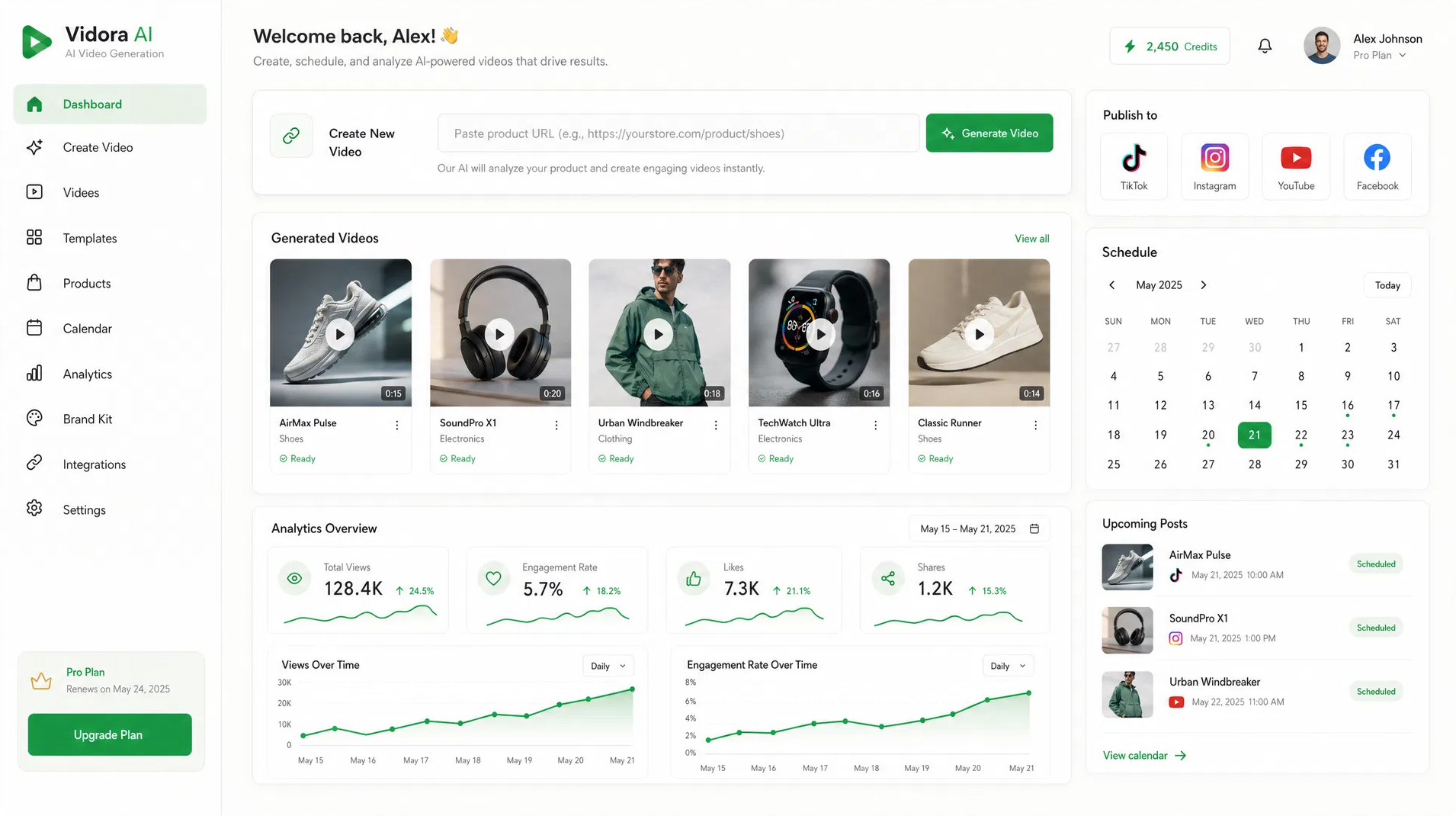
FAQ
AI Content Studio Questions
Clear answers for sellers evaluating the content generation part of NEOCO.
Does AI Content Studio import products by itself?
Can I create content for multiple products at once?
Which social platforms can the generated content be used for?
Is this only for video content?
Start Creating
Turn Your Product Library into a Content Engine
Import products into NEOCO, choose the SKUs you want to promote, and generate content for your next social campaign.
Start Free