Dropshipping Product Importer for Sourcing, Optimization and Content without rebuilding every listing
Source products from independent stores and marketplaces, clean the listing, create content for promotion, sync ready products to Shopify or use paid CSV export when files are needed.
Product signals
Use Case
For Dropshipping Sellers Who Need More Than a Product Link
Dropshipping sellers rarely stop at import. They still need cleaner copy, better images, pricing decisions, product content and a way to get ready products into a store or file.
How It Works
How This Works in NEOCO
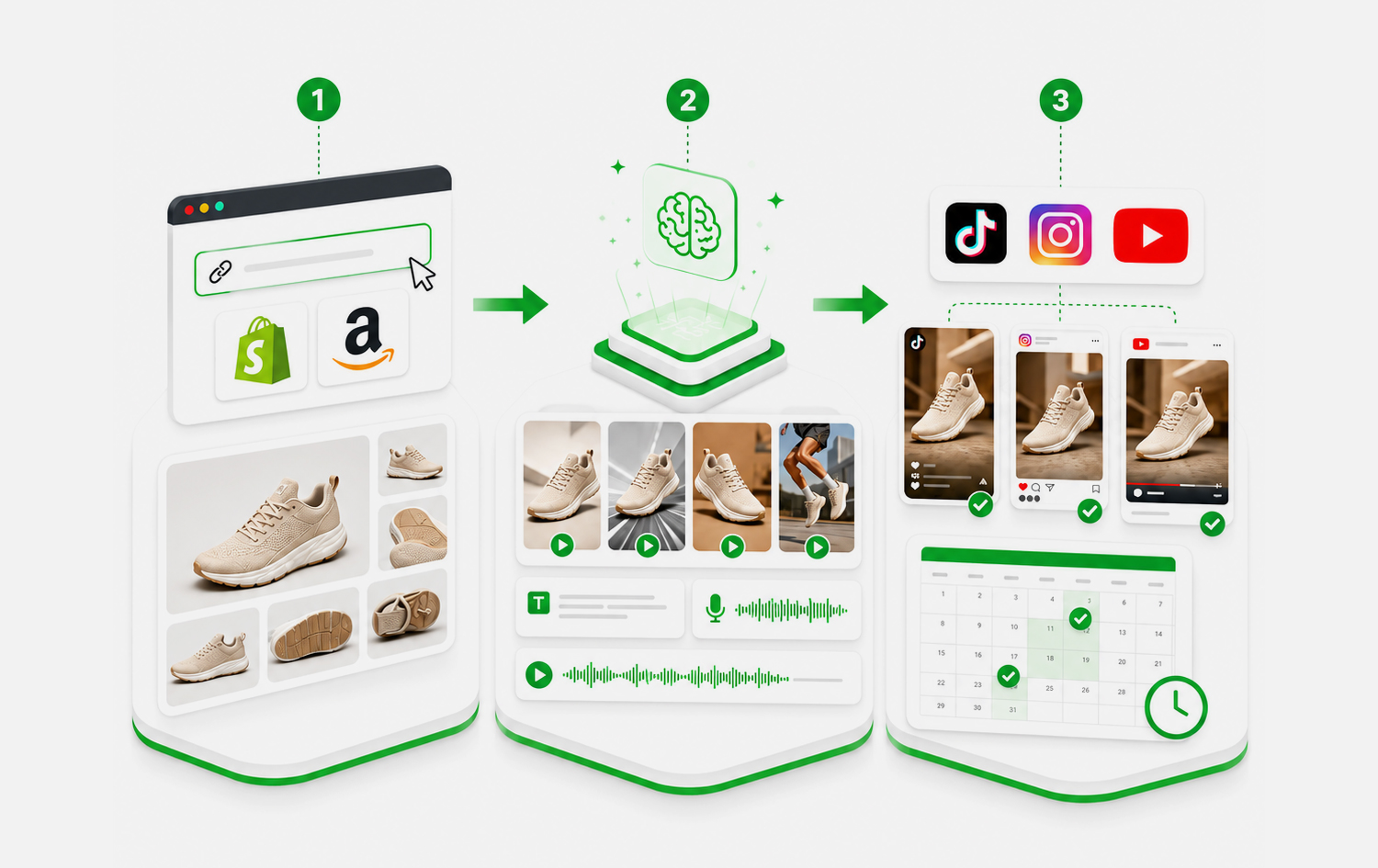
Start with product data, improve the records, create content when needed and move products into the right destination.
Find Product Sources
Start from Shopify or WooCommerce store links, or capture marketplace products with the Chrome extension.
Import Product Data
Bring available images, descriptions, prices, SKUs, variants and product details into NEOCO.
Make Listings Sellable
Rewrite product copy, improve media, adjust price data and prepare products for your own brand.
Launch and Promote
Sync to Shopify, use paid CSV export when needed, and create videos, captions and posts for social channels.
Capabilities
What You Can Do with NEOCO
Use NEOCO to connect product sourcing, listing cleanup, content creation and store or marketplace output in one product backend.
Multiple Sourcing Paths
Use store URL import for independent stores and Chrome extension capture for marketplaces.
Product Management Hub
Keep sourced products in one backend before deciding what to launch.
Listing Optimization
Improve imported titles, descriptions, images, prices, SKUs and variant data.
Product Content
Create product videos, images, captions, ads and blog drafts from selected products.
Shopify Launch Path
Push ready products to Shopify through the live API sync.
Export When Ready
Use paid export access when product data needs to leave NEOCO as CSV files.
Comparison
Dropshipping Importer vs. Product Research Spreadsheet
A spreadsheet can track ideas. NEOCO helps move those ideas toward launch and promotion.
Related Pages
Continue Through the Product Workflow
Explore the related feature pages that support import, optimization, content creation, sync, export and pricing decisions.
FAQ
Questions Before Choosing This Workflow
Short answers keep the page useful for search visitors and support FAQ structured data.
Can NEOCO import products for dropshipping?
Can I optimize dropshipping product listings?
Can dropshipping products be turned into content?
Can I sync products to Shopify?
Start Free
Build a Dropshipping Product Process That Goes Beyond Import
Source products, clean listings, create content and move ready products toward Shopify or paid export from one backend.
Create Free Account